
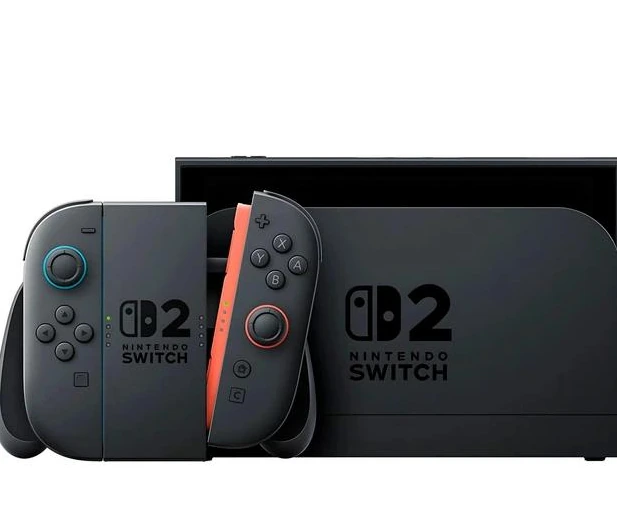
The Nintendo Switch 2 is not a quiet refresh. It keeps the hybrid idea that made the original Switch so successful, but almost every important part of the experience feels more modern: the screen is sharper, the system is faster, storage is more realistic, the controllers connect more confidently, and docked play finally feels closer to what players expect from a current console.
The harder question is not whether Switch 2 is better. It clearly is. The real question is whether the upgrade makes sense if you already own a Switch OLED, because that model still has one major advantage: its screen technology.
Practical Verdict
Switch 2 is the easiest recommendation for first-time buyers, launch Switch owners, and anyone frustrated by slow loading, unstable frame rates, or cramped storage. It is also the better long-term choice because new releases and enhanced editions will increasingly be built around the newer hardware.
Switch OLED owners should think more carefully. If you mostly play handheld and care most about deep blacks, colour contrast, and the look of Nintendo’s bright art styles, the OLED still has a special charm. If performance, sharper portable resolution, 4K TV output, faster storage, and future game support matter more, Switch 2 is the stronger console.
What Actually Changed From Switch OLED?
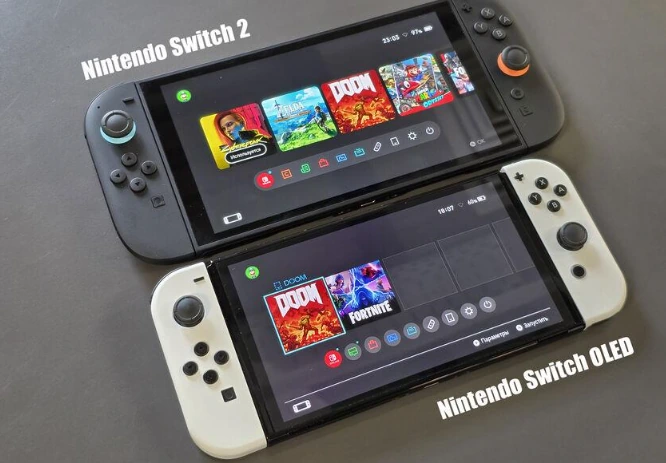
The Switch 2 feels familiar because Nintendo did not abandon the hybrid format. You still have a handheld console, detachable controllers, tabletop play, and TV mode. The difference is that the hardware no longer feels like it is constantly working around old limitations.
The most obvious upgrade is the larger 7.9-inch LCD screen with 1920×1080 resolution, HDR10 support, and VRR up to 120Hz. Nintendo also lists 256GB of internal UFS storage, a custom NVIDIA processor, Joy-Con 2 controllers with mouse sensors, and a microSD Express card slot for expansion.
That matters because the original Switch family often asked players to compromise. Handheld mode was convenient but limited to 720p. Docked mode was comfortable but capped by aging hardware. Storage filled quickly. Some games ran well, while others clearly pushed the system too far. Switch 2 does not remove every limitation, but it raises the baseline enough that the whole concept feels cleaner.
Switch 2 OLED Question: The Screen Is the Trade-Off
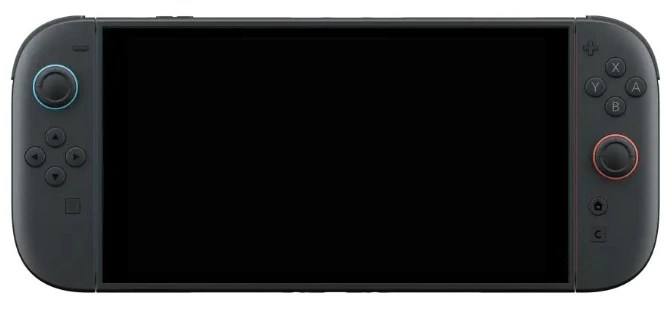
The biggest debate is simple: Switch 2 has a sharper LCD, while Switch OLED has a 7-inch OLED panel. That means the newer console wins on resolution and size, but the older premium model still wins on black levels and contrast.
In handheld mode, the 1080p panel makes a real difference. Text looks cleaner, edges look sharper, and games that use detailed environments benefit from the extra clarity. This is especially noticeable if you are coming from a launch Switch or Switch Lite. The jump from 720p to 1080p on a screen this size is not just a spec-sheet improvement; it changes how comfortable some games feel.
OLED owners will notice the missing contrast more than anyone else. Dark scenes do not have the same depth. Bright colours may not have the same punch. Nintendo’s wide colour gamut LCD is good, and HDR support helps in compatible situations, but it does not fully recreate the look that made the OLED model so appealing.
So the Switch OLED vs Switch 2 comparison depends on what bothers you more: lower resolution and weaker performance, or losing the richer display quality of OLED.
Performance Is the Real Reason to Upgrade
The strongest argument for Switch 2 is performance. The original Switch succeeded because of its design, not because it was powerful. Over time, that became harder to ignore. Bigger open-world games, denser scenes, and ambitious ports often showed where the older hardware struggled.
Switch 2 changes the feeling of play. Menus respond faster, compatible games benefit from stronger hardware, and new titles have more room to target smoother frame rates and cleaner visuals. Docked mode can output up to 4K, while 1080p and 1440p modes can support up to 120fps depending on the game and display setup.
This does not mean every game magically becomes a perfect 4K experience. Resolution, frame rate, visual settings, and upscaling still depend on the game. But the ceiling is much higher, and the console finally feels built for modern expectations rather than stretched beyond its original design.
For players who mainly use their Switch for first-party Nintendo games, this is important. Nintendo’s art direction has always carried the system, but better performance lets that art breathe. The best upgrade is not just prettier graphics; it is fewer moments where the hardware distracts from the game.
Joy-Con 2: Magnetic Attachment and Mouse Controls
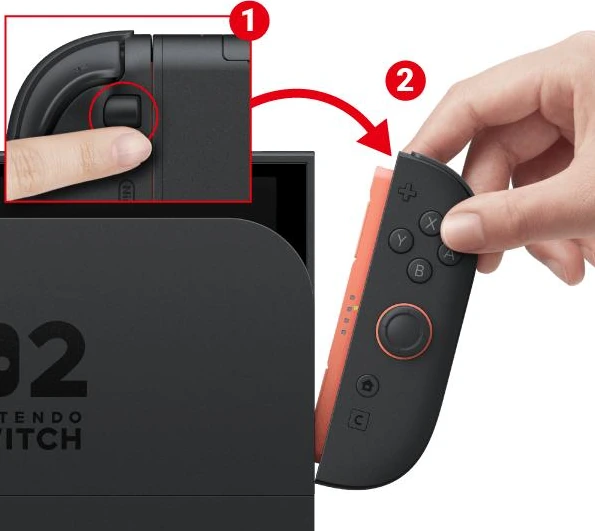
The Joy-Con 2 controllers are one of the most practical hardware changes. The old rail system worked, but it could feel loose over time. Switch 2 uses magnetic attachment with a release button, and the result feels more secure and less fiddly. Nintendo describes the new controllers as using strong magnets while still requiring the release button to detach them.
The more unusual addition is mouse control. Each Joy-Con 2 has an optical sensor, allowing the controller to work on surfaces like a table or even your lap in compatible games. Both controllers can also be used for mouse control at the same time, though Nintendo notes that surface material can affect responsiveness.
This is clever, but its long-term value depends on software. Strategy games, builders, puzzle titles, menu-heavy games, and some shooters could benefit from it. If developers ignore it, it becomes a neat feature rather than a major reason to buy the console. The hardware idea is strong; the library will decide how important it becomes.
GameChat and the C Button
The C Button is tied to GameChat, Nintendo’s built-in communication feature for Switch 2. It allows players to start a chat, share screens, and use the console’s built-in microphone. Nintendo also supports camera-based video chat through a compatible USB-C camera or the Switch 2 camera accessory.
This is a major shift for Nintendo because online social features have often felt cautious or limited compared with other platforms. GameChat makes the console feel more current, especially for families, friend groups, and players who want social play without juggling separate devices.
Still, this is not the deciding factor for everyone. If you play mostly solo, it may barely matter. If you regularly play Mario Kart, party games, co-op titles, or online multiplayer with friends, it gives Switch 2 a more complete ecosystem.
Storage Finally Feels Sensible
The move to 256GB of internal storage is one of the least glamorous but most important upgrades. Switch OLED’s 64GB was better than the original model, but it still filled quickly once digital games, updates, DLC, screenshots, and system data piled up.
Switch 2 does not eliminate the need for expandable storage, especially for players who buy mostly digital games, but it does reduce the immediate pressure. You are less likely to buy the console and a memory card on the same day just to feel comfortable.
The catch is that Switch 2 uses microSD Express cards, not ordinary microSD cards for game storage. Nintendo’s technical specs list compatibility with microSD Express cards up to 2TB, and standard older cards are not a direct replacement for the new system’s storage needs.
That means storage expansion may cost more than some players expect. It is faster and more future-ready, but anyone upgrading from a Switch OLED should not assume their old microSD card solves the problem.
Backwards Compatibility: Strong, But Check Your Library
Backwards compatibility is one of the biggest reasons Switch 2 works as an upgrade rather than a hard reset. Nintendo says players should check compatibility before buying older Switch games or buying Switch 2 specifically for an existing library, because each game page includes compatibility details.
In practice, this means most players can carry forward much of their library, but it is still worth checking games that matter to you most. Physical and digital ownership, save transfers, enhanced versions, and paid upgrade paths can make the transition feel different depending on your collection.
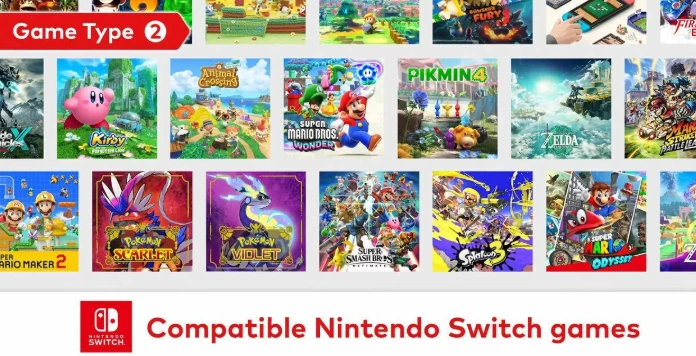
This is where Nintendo has to be careful. Backwards compatibility builds trust, but paid upgrade editions can create frustration if players feel they are buying the same game again. The best-case scenario is simple: your old games run well, new games look better, and enhanced editions feel optional rather than forced.
Switch OLED vs Switch 2: Which One Should You Buy?
For a new buyer, Switch 2 is the better choice unless budget is the main obstacle. It gives you stronger performance, more storage, a sharper handheld screen, newer controllers, modern communication tools, and a better future library path.
Switch OLED still makes sense for a specific player: someone who mainly plays older Switch games in handheld mode, values OLED contrast above performance, and can find the console at a meaningful discount. It remains a lovely handheld device, especially for colourful Nintendo games and indie titles.
For existing OLED owners, the answer is less automatic. Upgrade if you play new releases, want better docked output, care about smoother performance, or are already hitting the limits of the older system. Wait if you are satisfied with your library, mostly play handheld indies, or bought the OLED specifically because of its screen.
For launch Switch or V2 owners, the answer is much easier. Switch 2 fixes enough daily annoyances that the upgrade feels substantial: sharper portable play, better controllers, more internal storage, faster hardware, and a more modern docked experience.
Is Nintendo Switch 2 Worth It?
Yes, but not for the same reason for every player. The Switch 2 is worth it if you want Nintendo’s hybrid format without the old performance ceiling. It is not just a bigger Switch with a few convenience tweaks; it is the version that makes the original idea feel current again.
The OLED question is the only serious complication. Nintendo traded the beautiful OLED panel for a larger, sharper, faster LCD experience. Some players will miss the contrast. Others will immediately prefer the resolution, responsiveness, and overall system speed.
The safest way to think about it is this: Switch OLED is the better screen experience for the original Switch library, while Switch 2 is the better console for the next several years of Nintendo gaming. If you are buying for the future, Switch 2 is the one to choose.